 Profile 01
SMEs with manual processes
Businesses growing faster than their admin team that spend hours moving data between email, spreadsheets and systems.
Process automation · AI
Let the system do the repetitive work.
We connect your tools and add AI where something needs to be read, sorted or written: emails that file themselves, documents that turn into data and alerts that arrive on time.
AI automation takes the tasks that repeat every day and don't need judgement off your team's hands: moving data from an email into the CRM, checking documents, flagging a delayed order or preparing the weekly summary. We start by measuring how much time goes into each task so we automate what pays off most first.
We use n8n, Make or Zapier when a visual tool is enough, and custom code in Node.js or Django when the volume, security or logic calls for it. AI comes in only at the steps where it adds value, such as understanding a piece of text or extracting data from a PDF; the rest are ordinary rules, which are cheaper and more predictable.
Every workflow has an execution log, alerts when something fails and a person who reviews the doubtful cases. If the AI isn't sure when sorting or extracting a piece of data, the workflow flags it for review instead of carrying on with an error.
The challenge
Before we propose anything, we look at where money or time is being lost. These are the problems we find most often.

 Challenge 01
Orders, forms and invoices are moved by hand from one tool to another, with typing errors and a team tired of doing the same thing every day.
 Challenge 02
Requests, quotes and documents arrive by email or WhatsApp in different formats, and someone has to read them one by one to work out what to do.
 Challenge 03
Workflows thrown together in a hurry that break when a field changes, fail silently and leave nobody sure who maintains them or what they do.
 Challenge 04
Store, CRM, invoicing and spreadsheets hold different versions of the same data, and every report takes hours of reconciling figures.
Your team is worth too much to spend the day copying data.
What we do
Workflows in n8n, Make or custom code that read, sort and move data between your tools with no copying and pasting.
 01
We interview your team, measure how much time goes into each repetitive task and prioritise by savings, risk and ease, so we start with what makes a difference soonest.
02 We build and document visual workflows that connect your tools, such as forms, CRM, store, email, spreadsheets and messaging, with error handling, retries and alerts when something fails.
 03
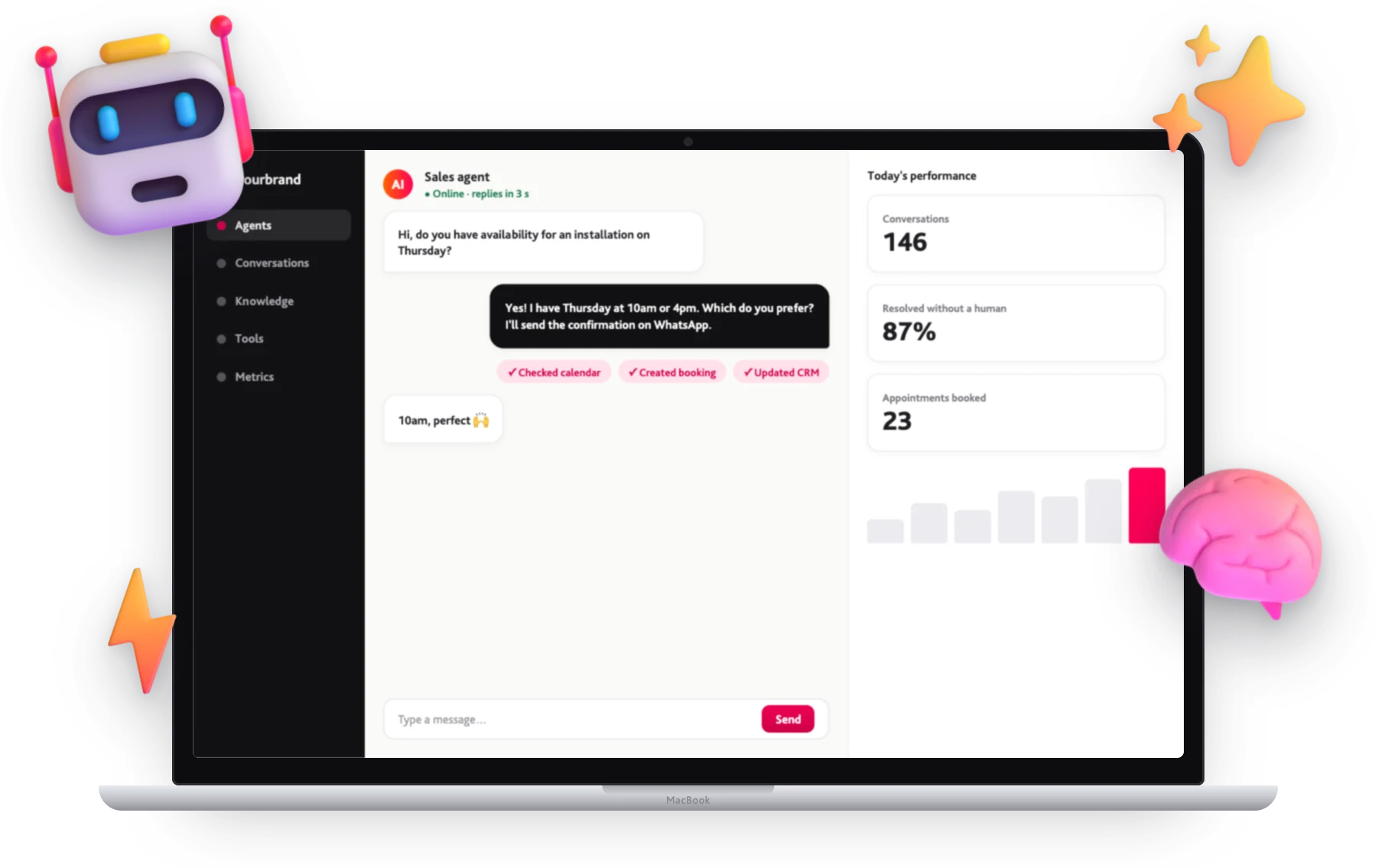
The AI reads emails, PDFs, invoices or forms, extracts the data that matters and saves it in the right system. Anything it can't interpret with confidence is flagged for human review.
 04
Requests, tickets and messages are sorted by topic and urgency and reach the right person with a draft reply that your team reviews, edits and sends.
05 When the volume, security or logic is more than a visual tool can handle, we code the process in Node.js or Django, with job queues, a database and deployment on Docker.
 06
A log of every execution, alerts when a workflow fails, a review of AI costs and adjustments when your tools change, so the automation keeps working months later.
How we work
Each phase ends with a deliverable you review and approve, so you always know where your project stands.
We map out with you how each task is done today, who is involved, which tools are used and how much time it takes.
We choose the automations with the best balance of savings and risk, and define which steps need AI and where simple rules are enough.
We set up each workflow in a test environment, with anonymised real data, error handling and documentation for your team.
We switch the automation on in phases, compare results with the manual process and make corrections before retiring it completely.
We monitor executions and errors, review costs every month and propose the next automation once the previous one is running on its own.
What's included
What we measure and report
A monthly report in plain language and an up-to-date dashboard whenever you need it.
Who it's for
Profile 01 Businesses growing faster than their admin team that spend hours moving data between email, spreadsheets and systems.
Profile 02 Teams that receive requests through several channels and need to sort, assign and answer them without any being forgotten.
Profile 03 Businesses that process invoices, delivery dockets, orders or forms in volume and want to turn documents into data without typing them in.
Industries where we use it most
Keep exploring




Artificial intelligence
Our AI automation assessment shows you exactly what to improve first, with priorities and timelines.
FAQ
It depends on how many workflows there are, how many tools they connect to and whether a visual platform is enough or custom code is needed. On top of development there are running costs: the n8n, Make or Zapier subscription if one is used, and the AI model usage. After the assessment we give you a fixed quote and an estimate of those monthly costs.
Zapier is the simplest and has many integrations; Make gives more visual control over complex workflows; n8n can be installed on your own server, which is useful if you handle sensitive data or high volume. We choose based on your tools, your budget and who will maintain the workflows, and if none of them fits, we build it to measure.
Those that repeat and follow a pattern even when the information arrives unstructured: logging orders that come in by email, extracting data from invoices, sorting requests, drafting replies, generating summaries or reports and flagging issues. Decisions that require judgement or negotiation are best left in your team's hands, with AI as support.
We design it on the assumption that it can happen. The AI steps validate their output, and if a piece of data isn't in the expected format or the model isn't sure, the case goes to human review instead of carrying on. Every execution is also logged, so you can see what happened, correct it and adjust the workflow.
A simple workflow between two tools can be up and running in days; a process with several systems, documents and human review takes longer. We usually start with one or two quick-impact automations and, with those results measured, plan the next ones. After the assessment we give you a phased timeline.
Let's talk
We reply with specific questions and, if we're a good fit, a clear proposal: what we'd do, in what order, on what timeline and for what budget.
We reply within one business day with what we need to know.
A 30-minute meeting to understand your business and your goals.
A written proposal with plan, timeline and fixed budget.
Ask AI about us
 Loguimark